
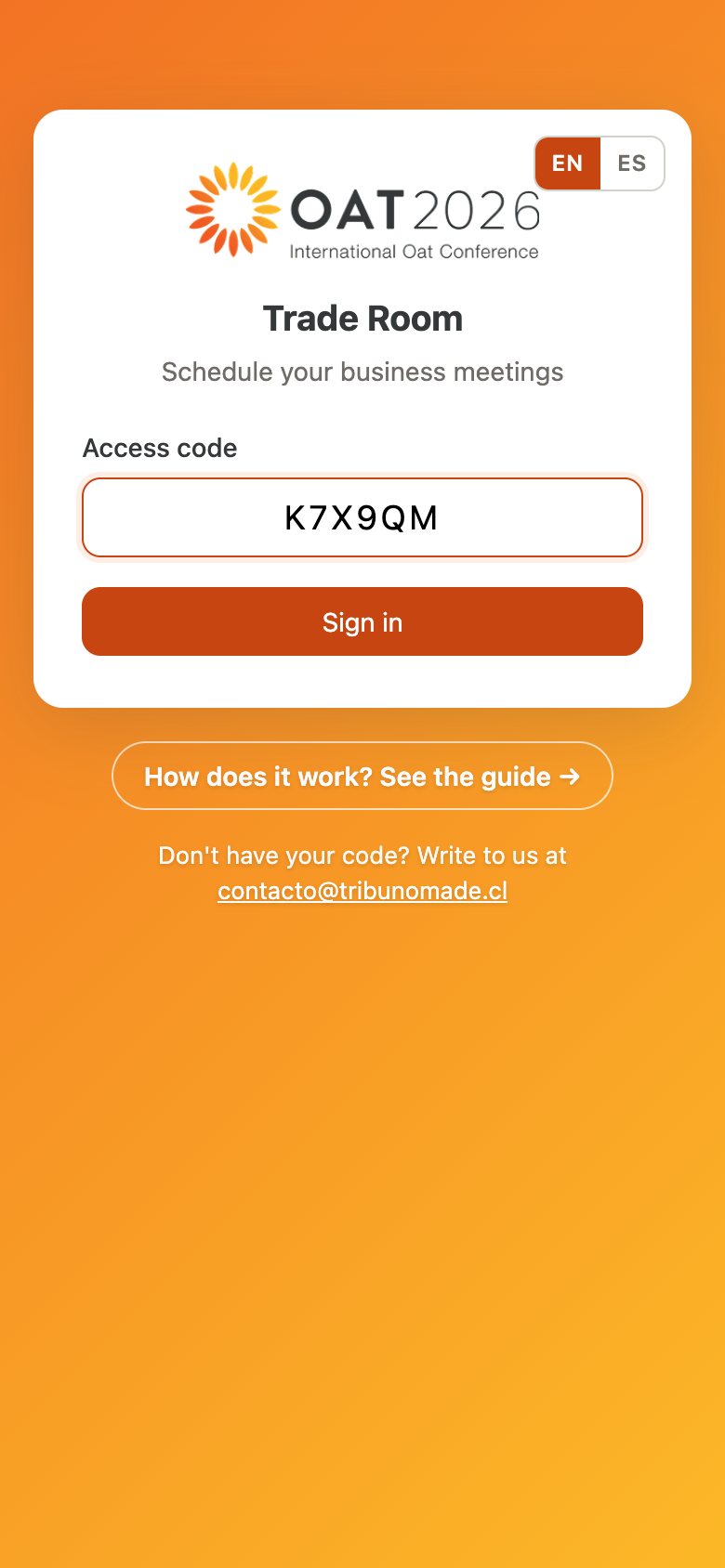
Sign in with your code
You will receive a personal 6-character code by email. Enter it at traderoom.tribunomade.cl and tap Sign in. Switch language anytime with EN | ES.
Mixing up O and 0, or I and 1? It still works.
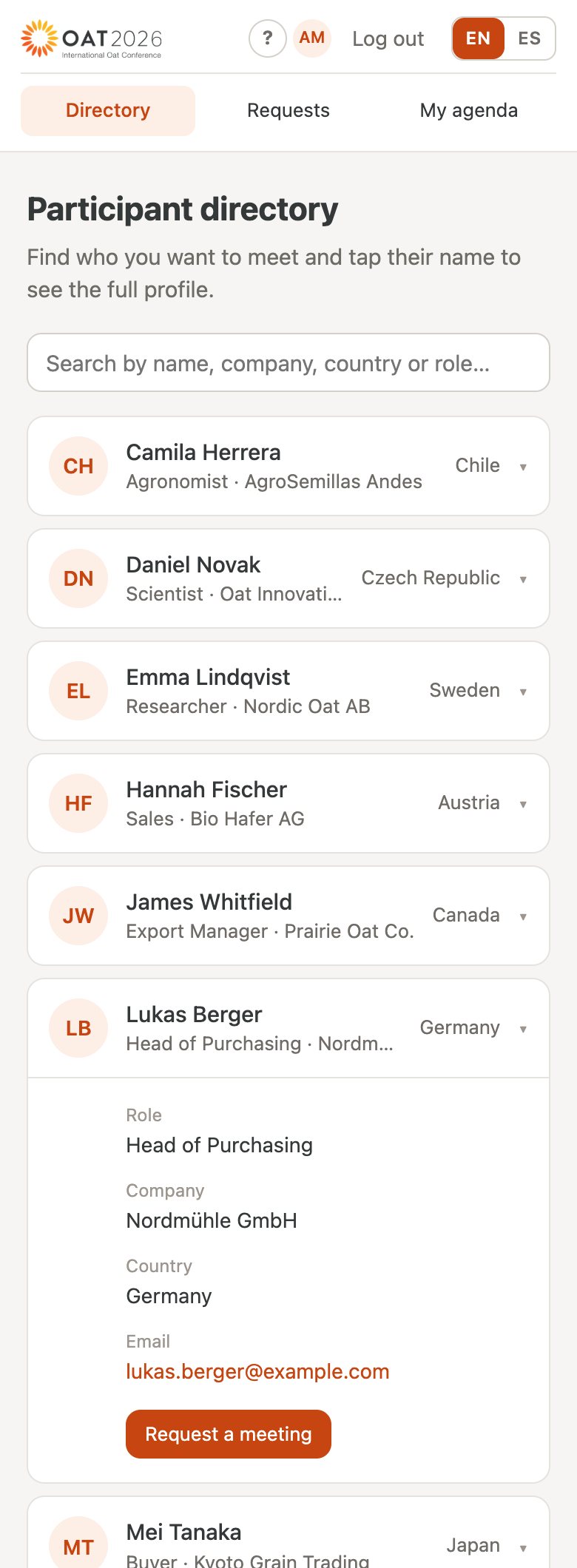
Find who you want to meet
The Directory lists every participant. Search by name, company, country or role, tap a name to open the profile, then Request a meeting.
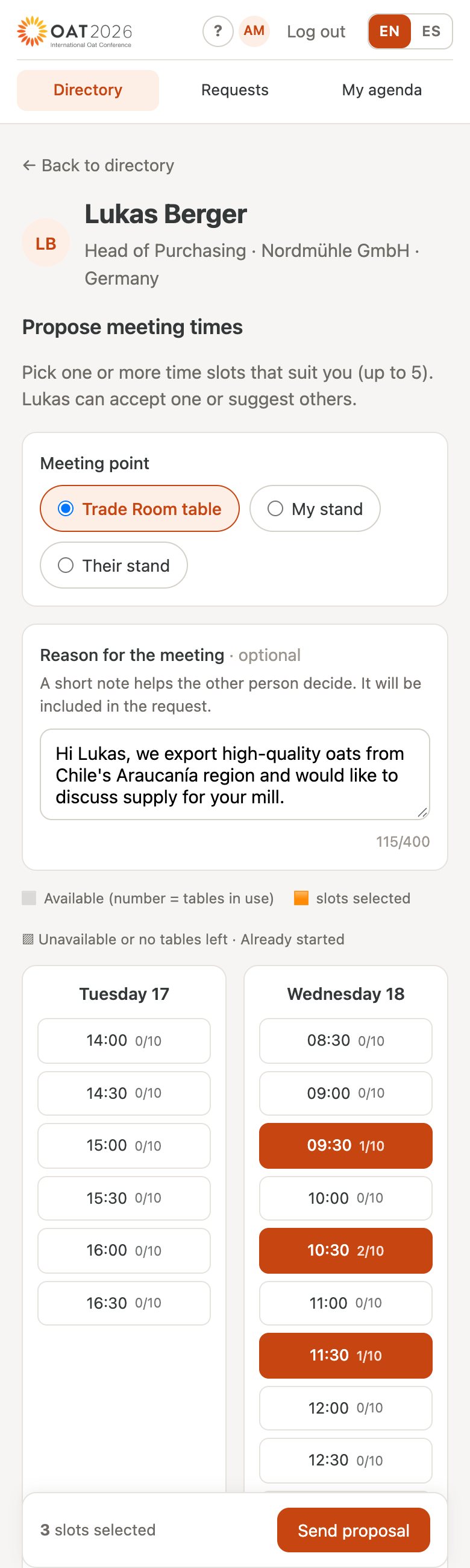
Propose times, a place and a message
Pick up to 5 time slots that suit you, the meeting point (a Trade Room table or either person's stand) and briefly say why you want to meet. Tap Send proposal: the other person gets an email.
The number next to each slot shows how many tables are already in use.
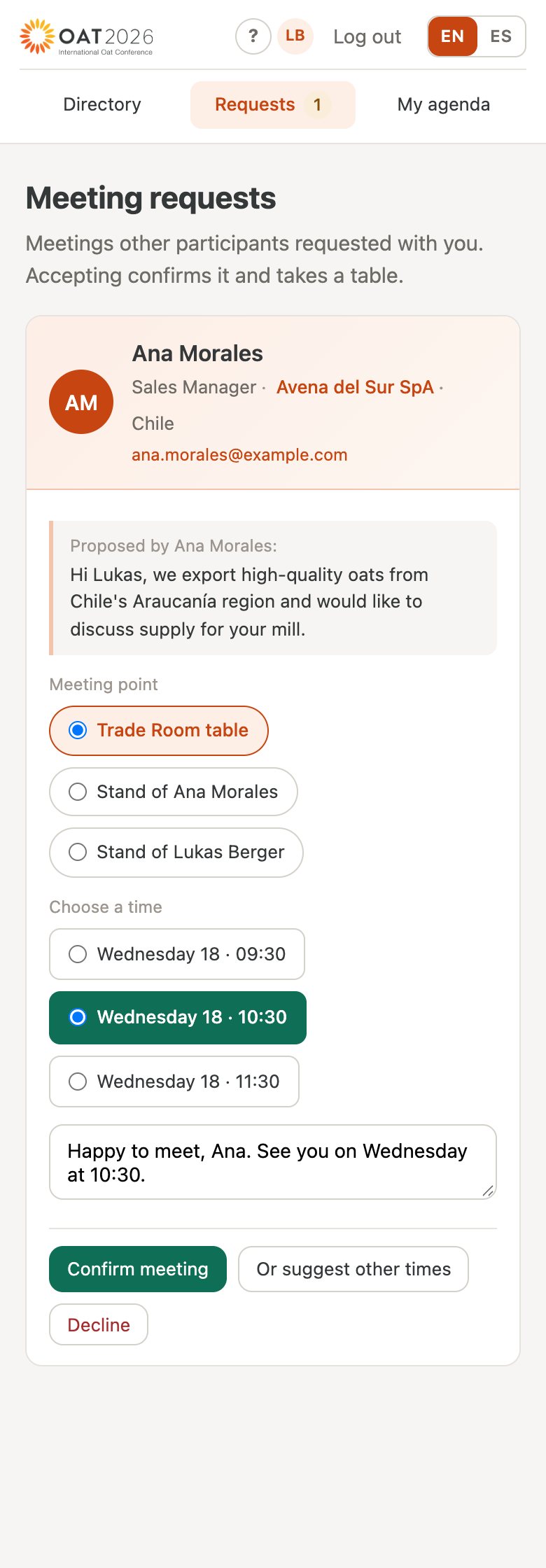
The other person replies
Lukas sees the request under Requests, picks one of the proposed times, can change the meeting point or add a note, and taps Confirm meeting.
If no time works, suggesting other times or declining are also options. Every reply arrives by email.
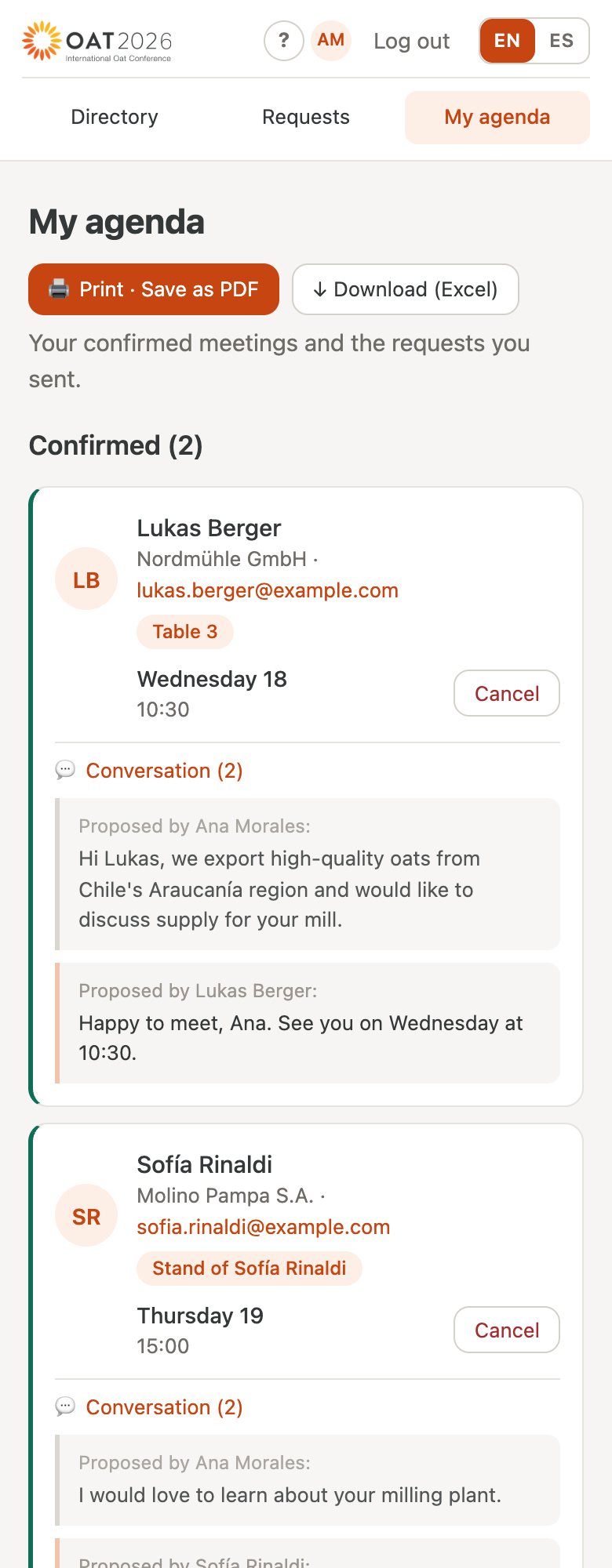
Meeting confirmed
You both get a confirmation email. My agenda shows the meeting with the day, time and table number, along with the whole conversation.
Need to cancel? Do it from My agenda: the other person is notified.
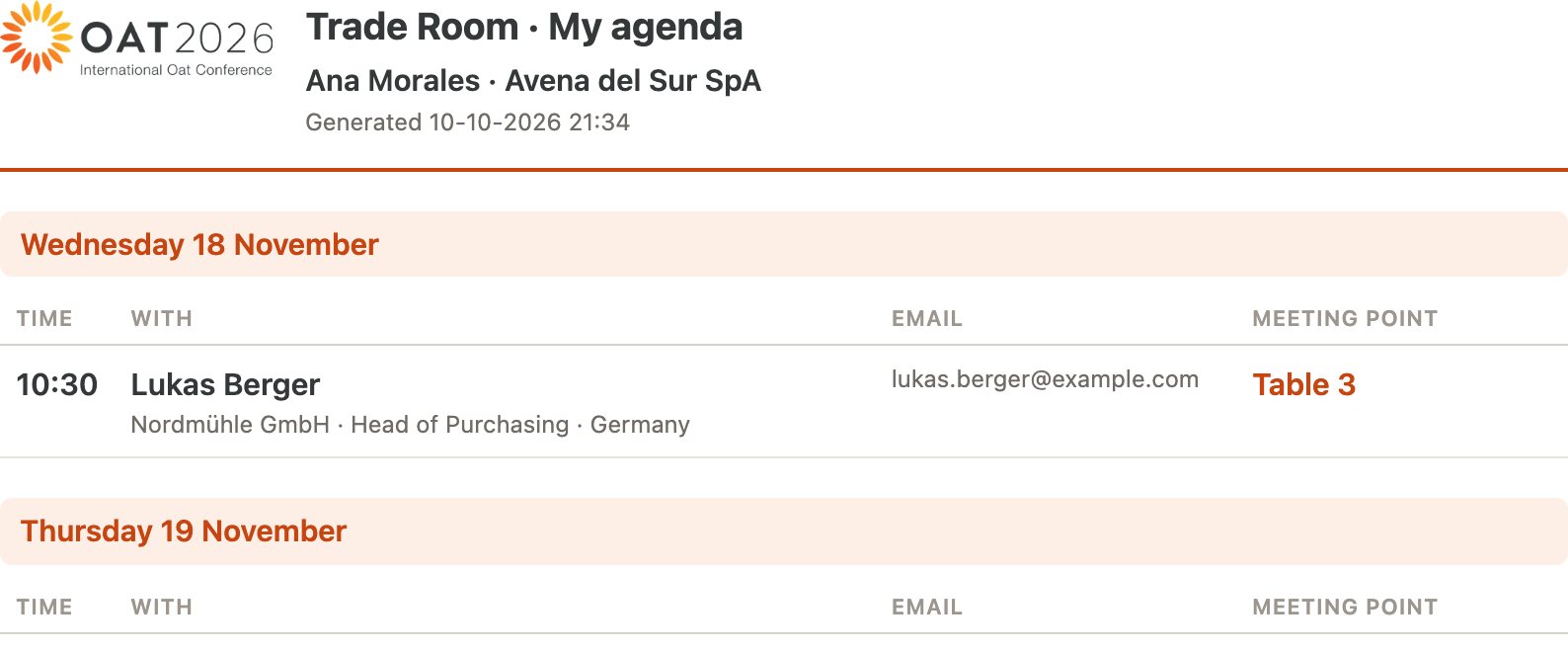
Take your agenda as a PDF
In My agenda, tap Print · Save as PDF to take your schedule to the event: every meeting with the time, the person and the meeting point.
On iPhone: Share → Print → Save to Files.
Frequently asked questions
Are the times I propose reserved?
No. A meeting is confirmed only when the other person accepts one of them, so it helps to propose several.
Where do meetings take place?
At the Trade Room tables (the table is assigned on confirmation) or at either person's stand, if you agree on that.
Can I cancel or change a meeting?
You can cancel it from My agenda and the other person is notified. To change it, cancel it and propose a new time.
Lost your code, or it does not work?
Search your email for “🌾Traderoom IOC2026”, including spam. If it is not there, write to us at contacto@tribunomade.cl and we will resend it.